> ## Documentation Index
> Fetch the complete documentation index at: https://docs.opencharges.com/llms.txt
> Use this file to discover all available pages before exploring further.
# Quickstart
> Start analyzing real negotiated rates in minutes
## Get started in three steps
Get your documentation site running locally and make your first customization.
### Step 1: Create your account
This will redirect you to create your own account now.
Creating your [OpenCharges](https://www.opencharges.com) account is easy. Just fill out your name, e-mail and set a secure password.
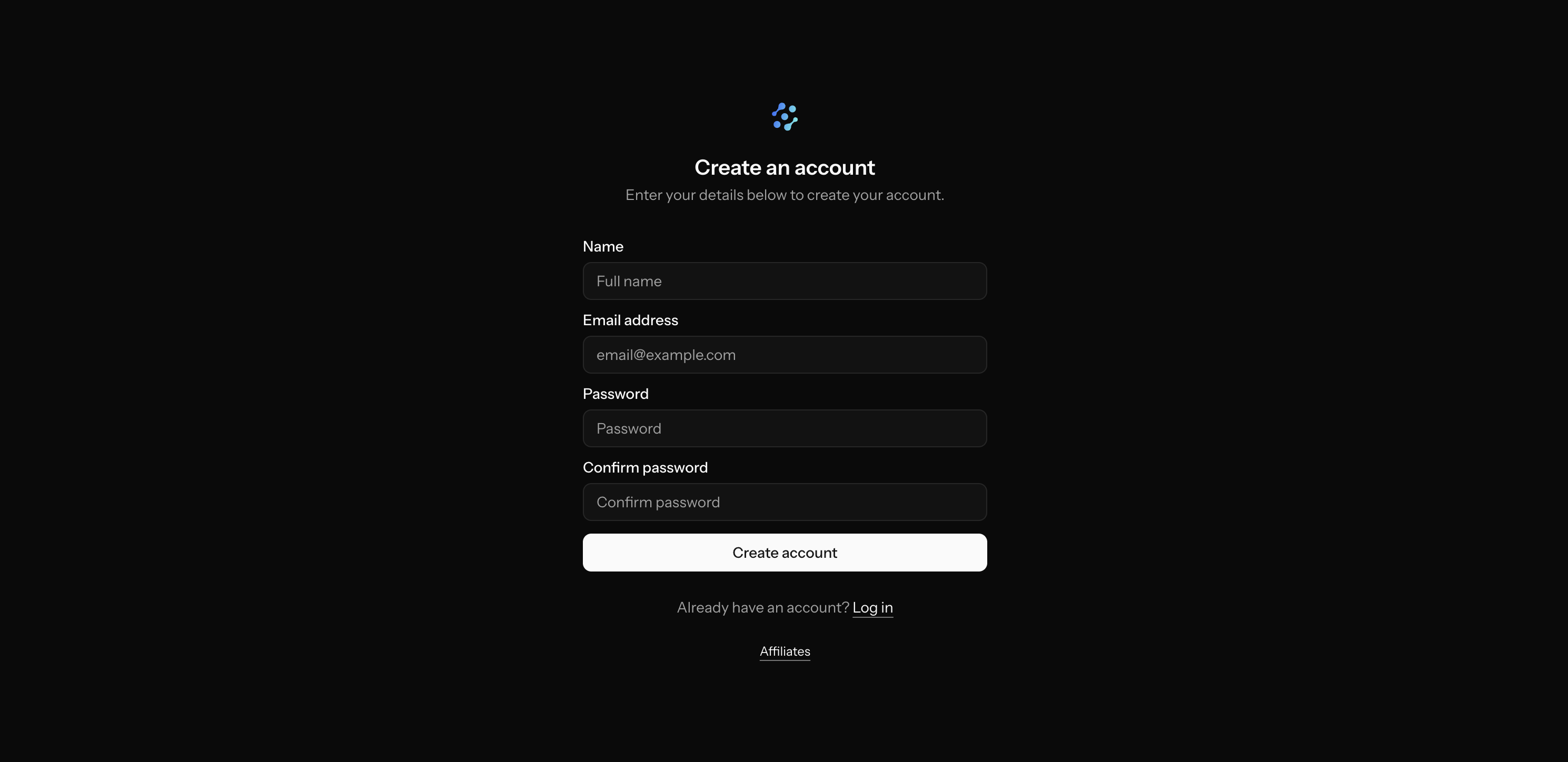 **Already have an account?** You can [login here](https://app.opencharges.com/login).
### Step 2: Select your billing plan
[OpenCharges](https://www.opencharges.com) has multiple billing options, including customized billing for enterprise customers. Select your plan for either 'Professional' or 'Institutional' NPIs and the plan that gives you access to an appropriate number of those NPIs.
'Professional' billing plans only allow you to have access to NPIs with an entity type code of '1', which are professional NPIs. 'Institutional' billing plans allow you to have access to professional and institutional NPIs.
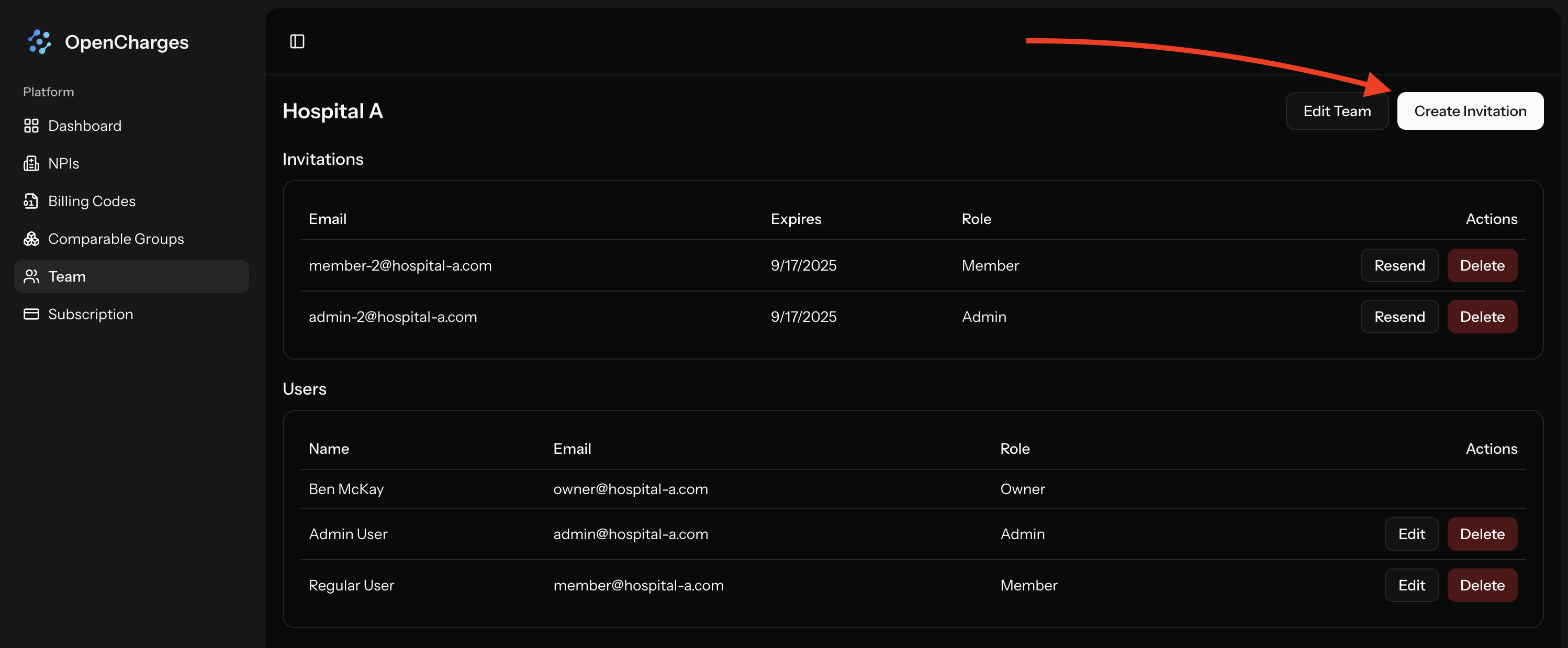
### Step 3: Invite Your Team
Send invites to people on your team by clicking on `Team` -> `Create Invitation`
**Already have an account?** You can [login here](https://app.opencharges.com/login).
### Step 2: Select your billing plan
[OpenCharges](https://www.opencharges.com) has multiple billing options, including customized billing for enterprise customers. Select your plan for either 'Professional' or 'Institutional' NPIs and the plan that gives you access to an appropriate number of those NPIs.
'Professional' billing plans only allow you to have access to NPIs with an entity type code of '1', which are professional NPIs. 'Institutional' billing plans allow you to have access to professional and institutional NPIs.
### Step 3: Invite Your Team
Send invites to people on your team by clicking on `Team` -> `Create Invitation`
 ## Next steps
Now that you have your team up and running, explore these key features:
Learn how to view NPIs and their negotiated rates for payers.
Learn about Comparable Groups and how you can use them to make better analysis.
## Next steps
Now that you have your team up and running, explore these key features:
Learn how to view NPIs and their negotiated rates for payers.
Learn about Comparable Groups and how you can use them to make better analysis.